How to Make a Minecraft Server (Java and Bedrock, 2026)
How to make a Minecraft server in 2026: install Java 25, run Mojang's free server file, accept the EULA, open port 25565. Java 26.3 and Bedrock.

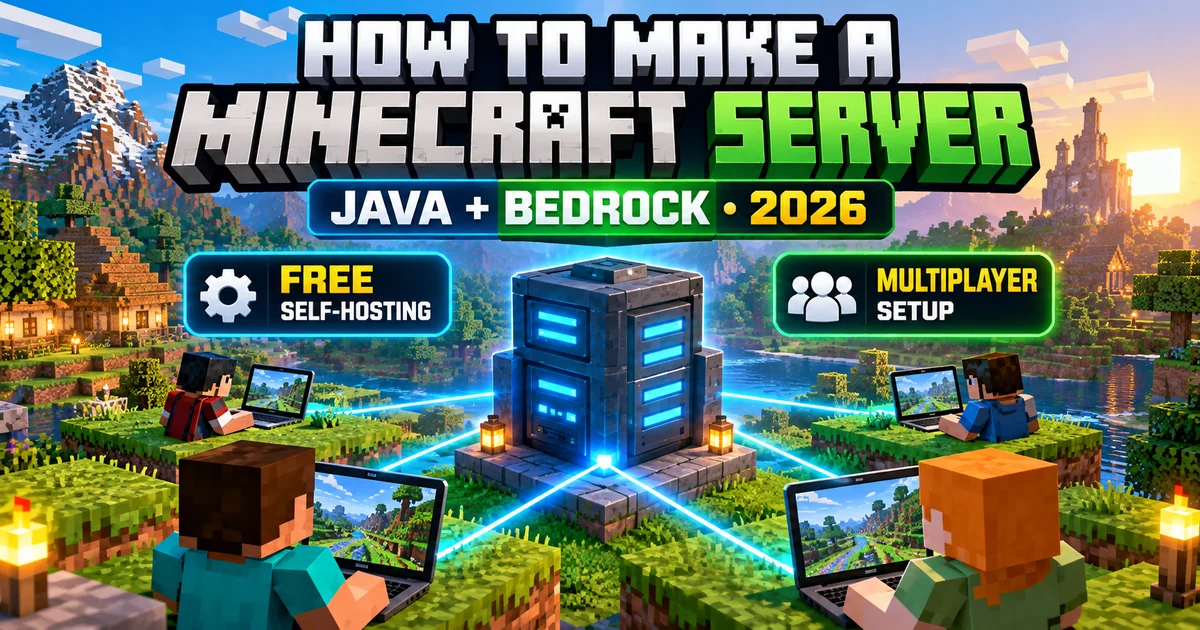
Here’s how to make a Minecraft server: install Java 25, download the free server file from Mojang’s official download page, run it once, change eula=false to eula=true in eula.txt, then run it again.
That gets a server running on your own PC. For friends outside your home network, forward port 25565 on your router, or skip the setup and pay for Minecraft Realms.
A Minecraft server is a program that keeps one multiplayer world running so other players can join it over a local network or the internet.
Applies to: Minecraft: Java Edition 26.3 and the current Bedrock Dedicated Server. Platforms: Windows, macOS and Linux for Java; Windows and Ubuntu for Bedrock. Checked: October 7, 2026.
Java Edition 26.3, the Wilderness Bound drop, was the latest Java release as of September 28, 2026, according to GameServerKings’ version tracker.
Older guides still tell you to install Java 17 or Java 21. That fails on current versions. The Java section below explains why.
Which kind of Minecraft server should you make?
If you want the least work, use Realms. If you want free software and full control, run Mojang’s server file yourself.
|
Option |
Cost |
Always online? |
Best for |
|
LAN world |
Free |
No, only while the host keeps the world open |
Playing in the same house |
|
Friend-hosted Bedrock world |
Free |
No, the host has to stay in the world |
Bedrock friends online, no subscription |
|
Realms (Mojang) |
$3.99 to $7.99 USD a month |
Yes |
Friends on any device, no tech work |
|
Your own Java or Bedrock server |
Free software |
Only while your PC is on |
Full control, plugins, mods |
|
Rented host |
Paid, varies by provider (not verified) |
Yes |
Larger communities |
Realms prices are in USD from Mojang’s Realms page, checked October 7, 2026. Your region may show different prices.
What Java version does a Minecraft server need in 2026?
Minecraft Java Edition 26.1 and later needs Java 25, according to the Minecraft Wiki’s server tutorial. A 26.x server file on Java 21 won’t start, per GameServerKings (September 2026).
Mojang switched to year-based version numbers with 26.1 on March 24, 2026, says the Minecraft Wiki. The old 1.x numbering is gone, which is why so many older guides point at the wrong Java.
|
Minecraft version |
Java needed |
|
26.1 and later |
Java 25 |
|
1.20.5 to 1.21.11 |
Java 21 |
|
1.18 to 1.20.4 |
Java 17 |
|
1.17 to 1.17.1 |
Java 16 |
|
1.12 to 1.16.5 |
Java 8 |
Newer Java generally runs older Minecraft, but not the other way round. Install Java 25 for any current server. The Minecraft Wiki says a server only needs the runtime, and an OpenJDK build such as Eclipse Temurin works.
What do you need before you start?
A small Java server runs on a PC with 2 GB of free RAM, about 5 GB of disk space and a wired connection, according to the Minecraft Wiki.
• Java 25 (Java Edition only). Mojang’s FAQ says Bedrock doesn’t need it.
• RAM: 2 GB for a small server, 4 GB for bigger ones.
• CPU: servers mostly use one core, so single-thread speed beats core count. The wiki says a budget Intel 8th gen or Ryzen 2000 chip is enough for a small server.
• Disk: reserve at least 5 GB, because worlds grow.
• Network: ethernet over Wi-Fi.
• GPU: not needed.
How to make a Minecraft server on Java Edition (step by step)
Make a folder, put Mojang’s server file in it, run it with Java 25, accept the EULA and run it again. These steps work on Windows, macOS and Linux.
1. Check your Java. Open Command Prompt (Windows) or Terminal (macOS, Linux) and run java -version. It should report 25. If not, install Java 25 first.
2. Make a server folder. Name it something like Minecraft Server. The server writes its config and world files next to the jar, so don’t run it from your Desktop.
3. Download the server file. Get it from Mojang’s “Download the Minecraft: Java Edition server” page on minecraft.net. Move it into your folder and rename it server.jar.
4. Open a terminal in the folder. Type cd followed by the folder path.
5. Run it once. Enter java -Xmx2G -Xms2G -jar server.jar –nogui. The server creates its files and stops. That’s normal.
6. Accept the EULA. Open eula.txt, change eula=false to eula=true and save. Without this, the server shuts down every time you start it.
7. Run it again. Use the same command. The world generates, and the console prints a line starting with Done when the server is ready.
8. Join your own server. In Minecraft Java Edition, go to Multiplayer, then Add Server, and type localhost as the address.
9. Stop it safely. Type stop in the server console to save and shut down.
Make a start script
A start script saves you retyping the command. On Windows, save this as start.bat in the server folder:
@ECHO OFF
java -Xms1G -Xmx2G -jar server.jar –nogui
pause
The pause line keeps the window open so you can read any error. On macOS or Linux, save this as start.sh, then run chmod a+x start.sh:
#!/bin/sh
cd “$(dirname “$0″)”
exec java -Xms1G -Xmx2G -jar server.jar –nogui
Both come from the Minecraft Wiki’s server tutorial. -Xmx caps the memory the server can use. The wiki says 2 GB is more than enough for about five players at default settings.
How do you open a LAN world without a server?
For same-network play, open your single-player world to LAN. It’s temporary, because the world only stays open while the host keeps it running (Technobezz, updated September 2, 2026).
• Java: load a world, press Esc, select Open to LAN, then Start LAN World. Others join from Multiplayer.
• Bedrock LAN: select Play, press the pencil Edit button next to the world, open Multiplayer, switch on Multiplayer Game and Visible to LAN Players, then select Play. Others join from Play, then Friends.
• Bedrock online: the host stays in the world and invites friends from Social. They join from Play, Friends, Joinable Friends.
How do you let friends join your Minecraft server?
Players on your Wi-Fi join with your PC’s local IP address. Players elsewhere need your public IP address and a router rule that forwards port 25565 to your PC.
Join from the same network
Find your local IP. On Windows, run ipconfig and read the IPv4 Address line. On Linux, run ip addr. On macOS, check your Network settings.
Friends then open Multiplayer, choose Direct Connection and type an address like 192.168.0.168. Add the port after a colon only if you changed it from 25565.
Join over the internet with port forwarding
Port forwarding tells your router to send incoming Minecraft traffic to your PC. Router menus differ, so these are the general steps from the Minecraft Wiki.
1. Give your server PC a fixed local IP in your router. A DHCP reservation works. Otherwise the rule breaks when the address changes.
2. Allow Java through your firewall. On Windows, the first start shows a prompt for “OpenJDK Platform binary”. Allow it.
3. Open your router’s admin page. Its address is the Default Gateway line in ipconfig.
4. Create a forwarding rule for port 25565 pointing at your server PC’s local IP. Choose TCP, or TCP/UDP if that’s what the router offers.
5. Search “what is my IP” to get your public address, then send it to your friends.
6. Test the port from outside with a port checker while the server is running.
Most providers hand out dynamic addresses, so your public IP can change every few days or weeks, the wiki notes. A dynamic DNS service gives you a name that follows the change.
If forwarding still fails, your modem may also be a router. When your router’s WAN IP is a private address, forward the port on the ISP’s modem or router too.
No port forwarding? A VPN tool such as Radmin VPN, ZeroTier or Hamachi can put everyone on one virtual network. Everyone has to install it, and Mojang doesn’t support these tools.
Optional: use a domain name
A domain gives friends a name instead of an IP. Point an A record at your public IP, and add an SRV record if you use a custom port so players don’t have to type it. DNS changes can take a while to show up.
How to make a Minecraft Bedrock Edition server
Download Bedrock Dedicated Server for Windows or Ubuntu from Mojang’s Bedrock server page, unzip it into an empty folder and run it. You don’t need Java.
1. Check your system. Mojang’s Bedrock server runs on Windows 10 (version 10.0.15063 or later), Windows Server 2016 or later, and Ubuntu 22.04 LTS or later, per the Minecraft Wiki. Mojang doesn’t list other Linux distributions.
2. Download it. Use Mojang’s Bedrock Dedicated Server page, tick the licence consent box, and unzip the file into an empty folder.
3. Start it. On Windows, run the server .exe in that folder. On Ubuntu, run LD_LIBRARY_PATH=. ./bedrock_server.
4. Edit `server.properties` early. A default world generates the first time the server starts, so set the world name and options before you play.
5. Switch on the allow list. Set allow-list=true, then run /allowlist add <gamertag> in the console. Put gamertags with spaces in quotes.
6. Open the port. Allow UDP port 19132 through your firewall and forward it on your router.
7. Join. Add the server on the Play screen with your IP address and port 19132.
Console players, read this first. According to the Minecraft Wiki, console versions of Bedrock can’t join external servers and only see LAN worlds. Nintendo Switch can’t join user-hosted servers at all, only Realms and featured servers.
If your group plays on consoles, a Realms subscription is the practical route.
How do you set up Minecraft Realms instead?
Realms is Mojang’s official hosting. It costs $3.99 to $7.99 USD a month on Mojang’s Realms page (checked October 7, 2026), and your friends play for free.
|
Plan |
Price (USD) |
Players at once |
Platforms |
|
Realms for Bedrock |
$3.99 a month |
You + 2 |
Android, iOS, Windows, Fire, Xbox, PlayStation, Nintendo, Chromebook |
|
Realms Plus for Bedrock |
$7.99 a month |
You + 10 |
Same as above, plus the Marketplace Pass catalog |
|
Realms for Java |
$7.99 a month |
You + 10 |
Windows, macOS, Linux |
Every plan includes a 24/7 personal server, backups and three world slots, with one world active at a time. New subscribers get a 30-day trial, and the plan renews automatically unless you cancel.
Realms only work within one edition. Java players join Java Realms, and Bedrock players join Bedrock Realms. Console multiplayer still needs the platform’s own online subscription.
Set up a Bedrock Realm
1. Open Minecraft and select Play.
2. Select Create New, then Create New World.
3. Pick your game and multiplayer settings, then select Create on Realms.
4. Finish the subscription or trial screens.
Set up a Java Realm
Sign in to minecraft.net with your Microsoft account, open Realms, choose Buy Now next to the Java Realms plan and finish checkout. Then open Minecraft Realms from the game’s launch screen to configure it and invite players.
If your subscription lapses, Mojang says you have 18 months to download your worlds.
What does server.properties do, and what should you change?
server.properties is the main settings file in your server folder. Edit it in a plain text editor such as Notepad, save, and restart the server.
|
Setting |
What it does |
|
gamemode |
Default mode: survival, creative, adventure or spectator. |
|
difficulty |
peaceful, easy, normal or hard. |
|
max-players |
Cap on players online at once. |
|
motd |
The description players see in the server list. |
|
level-seed |
The seed used to generate a new world. |
|
pvp |
Turns player-versus-player combat on or off. |
|
view-distance |
Render distance in chunks. Lower it if you see lag. |
|
simulation-distance |
How far around players the server simulates. Lowering it cuts CPU load. |
|
white-list |
Set to true so only listed players can join. |
|
online-mode |
Keep it on so accounts are verified. The whitelist only works with it on. |
|
server-port |
Defaults to 25565 on Java. Change it if the port is taken. |
|
enable-status |
Set to false to make the server look offline to port scanners. |
|
server-ip |
Leave it blank. A wrong value causes “Failed to bind to port”. |
How do you keep your Minecraft server safe?
Turn on the whitelist, keep online-mode on and hand out operator status sparingly, as the Minecraft Wiki’s security advice recommends.
• Whitelist: set white-list=true, then run /whitelist add <playername> in the console. It only works while online-mode is on.
• Operators: /op gives a player full command access, including stopping your server. Keep that list short.
• Port scanners: automated scanners hunt for port 25565. A different server-port, or enable-status=false, makes you harder to spot.
• Adventure mode: set it as the default game mode so strangers can’t break blocks, then move trusted players to survival.
• Bedrock: set allow-list=true and a default permission of visitor, which blocks world interaction until you promote someone.
• Backups: copy your world folder regularly.
• Downloads: get server files from Mojang. Check any third-party script before you run it.
Why won’t your Minecraft server start or let friends join?
Most failures come from the wrong Java version, an unaccepted EULA, a port already in use, or a firewall or router blocking port 25565.
|
What you see |
Likely cause |
Fix |
|
Window flashes and closes |
An error you can’t read |
Add pause to your .bat file and read the message. |
|
26.x server won’t start, or an unsupported class file error |
Java older than 25 |
Install Java 25 and confirm with java -version. |
|
Server shuts down right after launch |
eula=false |
Set eula=true in eula.txt. |
|
“Failed to bind to port” |
Something is using the port, or server-ip is filled in |
Clear server-ip, or change server-port. |
|
Friends get “connection timed out” |
Firewall or missing port forward |
Allow Java through the firewall and forward 25565. |
|
“Connection refused” |
Server not running, or the router firewall was switched off instead of forwarding |
Start the server, then set up the forward properly. |
|
Works for you, not for friends |
A second modem or router in front of yours |
Forward the port on the outer device too. |
|
Invalid server key or version error |
Client and server versions differ |
Match the versions. |
|
A child account can’t join |
Multiplayer blocked in Microsoft family settings |
Allow “You can join multiplayer games” in Xbox privacy settings. |
Console, Switch and mobile players
• Xbox and other console accounts tied to a family Microsoft account need multiplayer switched on in Xbox privacy settings (Technobezz).
• Consoles can’t join self-hosted Bedrock servers, and Switch can’t join user-hosted servers at all (Minecraft Wiki). Use Realms.
• Bedrock Realms support cross-play on Android and iOS as well as consoles, per Mojang.
Should you update your server on release day?
Vanilla servers can update after a world backup. Paper, Fabric, Forge and plugin servers should wait until those projects publish a build for the new version.
Java Edition 26.4 was in snapshot as of September 28, 2026, and no release date is confirmed, per GameServerKings. Check Mojang’s server page before you plan around it.
1. Stop the server with stop.
2. Copy the whole server folder somewhere safe. Mojang’s Java Team advises backing up before using test versions, which can corrupt worlds.
3. Download the new server file from Mojang and replace server.jar.
4. Check the new version’s Java requirement.
5. Start the server and watch the console for errors.
On Bedrock, clients and servers must run the same version. Copy server.properties, allowlist.json, permissions.json and the worlds folder into the new server folder, then start it (Minecraft Wiki).
FAQ
Is it free to make a Minecraft server?
Mojang’s server software for Java and Bedrock is free to download, according to the FAQ on Mojang’s server download page. You only pay if you rent a host or subscribe to Realms.
How much RAM does a Minecraft server need?
The Minecraft Wiki recommends at least 2 GB for a small Java server and says larger ones may need 4 GB. For Bedrock it lists a 1 GB minimum and 4 to 8 GB for very large servers.
What port does a Minecraft server use?
Java Edition servers use port 25565 by default. Bedrock Dedicated Servers use port 19132 over UDP. Both come from the Minecraft Wiki and Mojang’s server page.
What Java version does a Minecraft server need?
Minecraft 26.1 and later needs Java 25, per the Minecraft Wiki. Versions from 1.20.5 up to 1.21.11 need Java 21.
Can Java and Bedrock players join the same Minecraft server?
Not on Mojang’s own server software. Java servers accept Java players and Bedrock servers accept Bedrock players, as Technobezz summarizes Mojang’s options. Unofficial bridges exist, but Mojang doesn’t support them.
Owen Parker
Owen writes Arcade Monthly's walkthroughs, setup guides and buying advice.
Full biography and storiesMore from Arcade Monthly

Deadlock Tier List: Every Hero Ranked for the Mind the Birds! Patch (October 2026)
Deadlock tier list for the Mind the Birds! patch: all 40 heroes ranked S to D using win rates from three stat trackers. Updated October 9, 2026.
Brawl Stars Tier List: Every Brawler Ranked (October 2026)
Brawl Stars tier list for October 2026: all 107 Brawlers ranked S to F using live win rates and the September 16 patch. See who to pick now.
Overwatch Tier List (Season 5): Every Hero Ranked
Overwatch tier list for Season 5 (Oct 2026): all 54 heroes ranked by role using official Blizzard stats and live win rates.