How to Build a Home Arcade Setup: A Beginner’s Guide
Plan your home arcade setup step by step: choose a cabinet style, joysticks, buttons, screen and game hardware, and avoid common beginner mistakes.
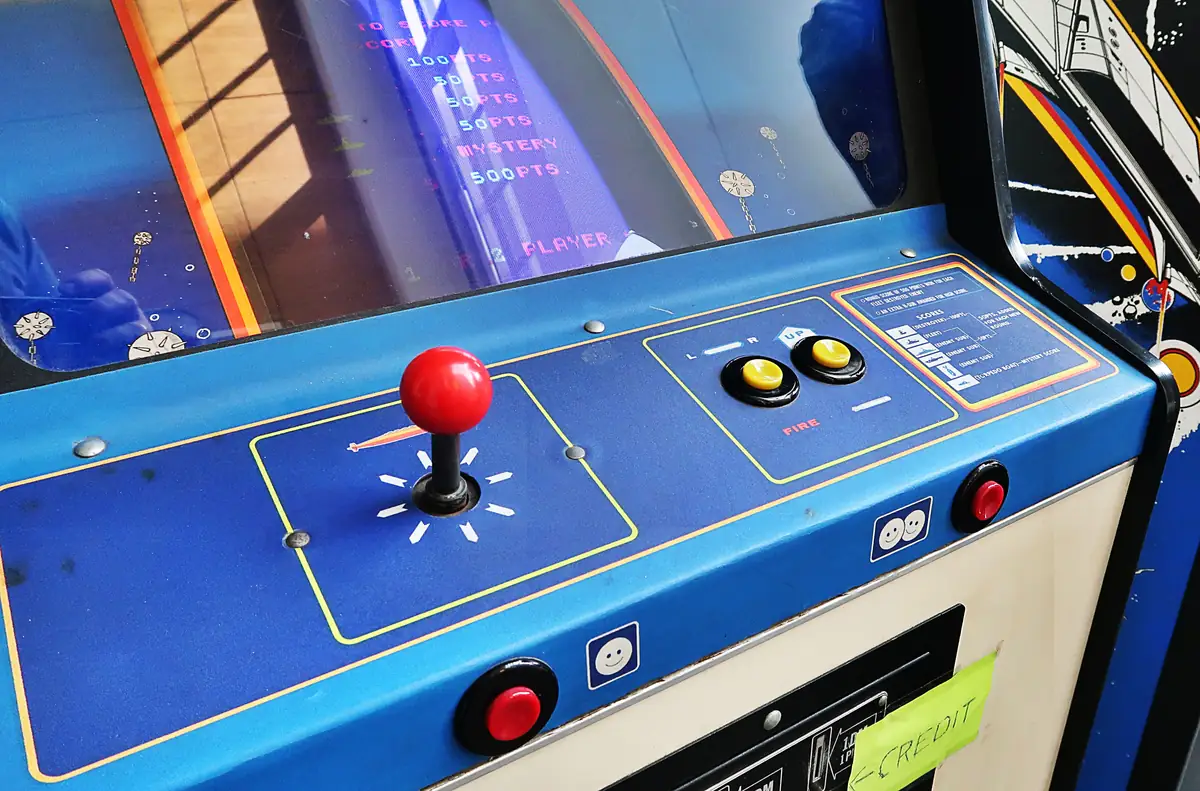
There is something about standing at a real control panel, hand on a ball-top joystick, that a controller on the couch never quite matches. The good news is that you no longer need a basement full of coin-op machines to get that feeling. A solid home arcade setup can be as simple as a quality arcade stick plugged into your TV, or as ambitious as a full-size cabinet you build yourself.
This guide walks you through the decisions that matter most: how much space you have, which cabinet style fits it, what hardware runs the games, and which controls are worth spending money on. By the end you should have a clear plan, whatever your budget.
Step 1: Decide What Kind of Arcade Experience You Want
Before you buy anything, be honest about how you will actually play. Someone who wants to master one fighting game has very different needs from someone who wants a little bit of everything for family game night.
- One or two favourite games: an original or licensed machine for those specific titles may be the simplest route.
- A big library of classics: a multi-game setup built around a PC or single-board computer gives you the most flexibility.
- Competitive fighting games: a high-quality arcade stick connected to a modern console or PC is often the best value.
- Party and family play: prioritise two-player controls, easy menus and games anyone can pick up in seconds.
Step 2: Measure Your Space and Choose a Cabinet Style
Arcade hardware is heavier and bulkier than most people expect. Measure the floor space, the doorways and any stairs between your front door and the room where the machine will live. Full-size cabinets have a habit of getting stuck in hallways.
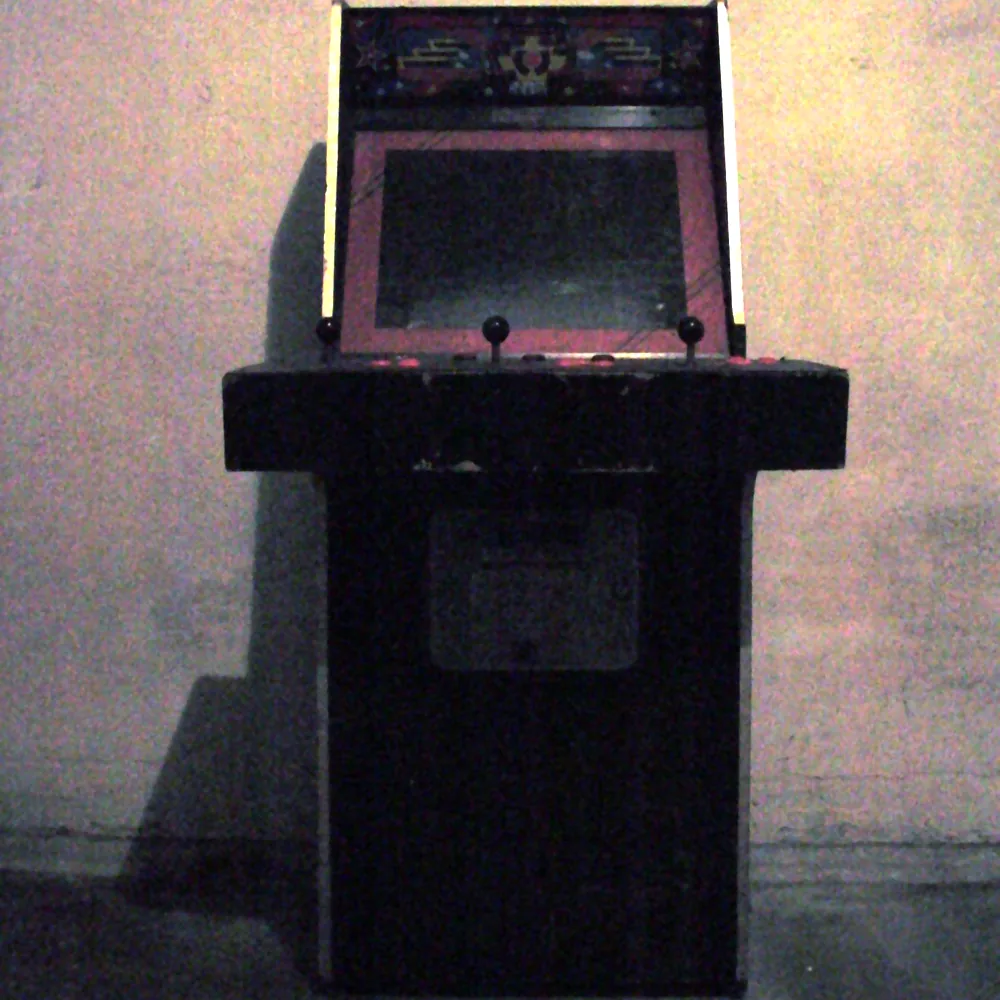
Upright cabinet
This is the classic look most people picture: a tall, standing cabinet with the screen at eye level and the controls at waist height. Uprights deliver the most authentic feel, but a typical full-size machine is around two feet wide, close to three feet deep and roughly six feet tall, and it can weigh well over a hundred pounds.
Bartop cabinet
A bartop is essentially the top half of an upright: the screen, marquee and control panel in a compact box that sits on a counter or table. It is a great choice for apartments, and it is one of the easiest designs to build as a first DIY project.
Cocktail table
Cocktail cabinets are sit-down tables with the screen facing up through the glass top. Players usually sit on opposite sides, and many classic games flip the picture for the second player. They double as furniture, which makes them popular in living rooms.
Arcade stick or control panel only
If space is tight, skip the cabinet altogether. A standalone arcade stick or a two-player control panel that connects to your TV gives you real arcade controls without any furniture. Many people start here and upgrade later.
Step 3: Pick the Hardware That Runs Your Games
The brains of your setup depend on the games you want to play and how much tinkering you enjoy.
- Original arcade boards: the most authentic option, but boards are model-specific, can be hard to find and may need repairs. Best for collectors.
- Licensed retro cabinets and collections: several companies sell ready-made cabinets and official game compilations. They are plug-and-play and fully legitimate, though you are limited to the included titles.
- Single-board computers: a Raspberry Pi running a front end such as RetroPie or Batocera is a popular, low-power choice for older 8-bit and 16-bit era games.
- A small PC: a compact desktop or mini PC handles more demanding emulation and modern PC games, and gives you the most room to grow.
A quick note on emulation and ROMs
Emulators such as MAME are legal software, but the game files (ROMs) they run are still protected by copyright in most cases. The safest approach is to stick with games you have a legal right to use: officially released collections, titles whose rights holders have made them freely available, and homebrew games released by their creators. The MAME project’s own website hosts a small number of ROMs that rights holders have released for free non-commercial use.
Step 4: Choose Your Controls
Controls are where your money makes the biggest difference. A great screen with a cheap, mushy joystick still feels wrong, while good parts make even a simple setup feel like the real thing.

Joysticks
Arcade joysticks broadly come in two styles. Japanese-style sticks have a ball-top handle, a light feel and a short throw; they are the standard in most fighting-game sticks. American-style sticks usually have a bat-shaped handle and a stiffer feel, common on classic US cabinets.
Also look at the restrictor gate, the plate that limits how the stick moves. Many classic maze games were designed for 4-way joysticks, while most fighting and shooting games expect 8-way movement. Some joysticks have a switchable gate, which is handy for a multi-game setup.
Buttons
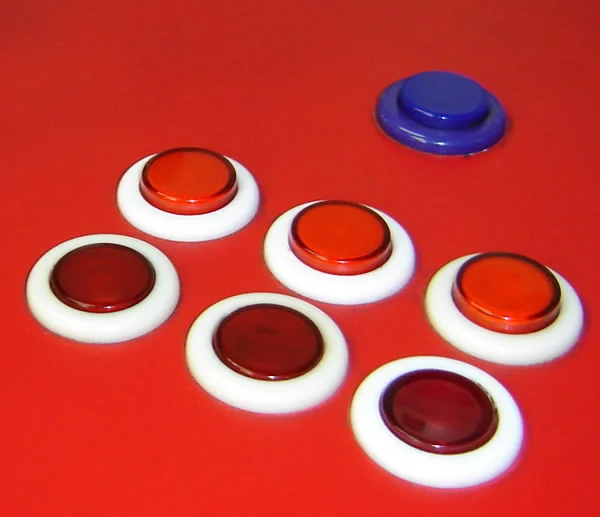
Arcade buttons use microswitches that give a crisp, consistent click. Japanese-style buttons with a 30mm mounting hole are the most common size for player buttons, with smaller 24mm buttons often used for Start, Select and coin functions. For a fighting game layout, plan on six or eight buttons per player; for classic games, two or three is often enough.
Encoders and other controls
An encoder board connects your joysticks and buttons to the computer over USB, so they show up as a gamepad or keyboard. Inexpensive “zero delay” USB encoders work fine for many builds, while dedicated keyboard-style encoders are popular for more complex panels. If you love classics such as Breakout-style paddle games or trackball games, add a spinner or trackball to your plan from the start, because they need extra panel space.
Step 5: Choose a Screen
Most classic arcade games were designed for a 4:3 picture, and many famous titles, including Pac-Man and Galaga, used a monitor turned vertically. That is worth keeping in mind when you pick a display.
- LCD monitor or TV: the practical choice for most people. Look for low input lag and turn on the TV’s game mode.
- CRT: authentic image quality and essentially no processing delay, but CRTs are heavy, increasingly hard to find and contain high voltages that make repairs a job for experienced hands.
- Scanline and CRT filters: most emulation front ends can add shaders that imitate the look of an old tube on a modern screen.
Step 6: Build, Wire and Finish
If you are building your own cabinet, 18mm (3/4-inch) MDF is a common choice because it is flat, stable and easy to cut and paint. Plans for uprights and bartops are widely shared online, and flat-pack kits are available if you would rather skip the woodworking.
- Cut and assemble the cabinet, leaving a rear access door for maintenance.
- Drill and mount the control panel, test-fitting the layout on paper first.
- Wire the joysticks and buttons to the encoder and test every input before closing anything up.
- Install the screen, computer and speakers, and plug everything into a single surge-protected power strip.
- Add ventilation, then finish with paint, vinyl side art, T-molding and a lit marquee.
Common Mistakes to Avoid
- Spending most of the budget on the screen and buying the cheapest controls.
- Forgetting to measure doorways and stairs before building a full-size cabinet.
- Loading thousands of games you will never play, which makes menus slow and overwhelming.
- Ignoring airflow, which can cause overheating inside a closed cabinet.
- Skipping a test of every button and joystick direction before the final assembly.
Frequently Asked Questions
Is a home arcade setup expensive?
It does not have to be. A quality arcade stick and a computer you already own is a very affordable start, while a custom full-size cabinet with premium parts costs considerably more. Building in stages lets you spread out the cost.
Do I need woodworking skills to build an arcade cabinet?
No. Flat-pack kits and pre-built cabinets let you focus on the electronics, and a standalone control panel requires no cabinet at all. Basic tools and patience go a long way.
Is a Raspberry Pi powerful enough for an arcade?
For many classic 1980s and early 1990s games, yes. For more demanding titles or later 3D arcade games, a small PC is a better fit.
Can I connect arcade controls to a modern console?
Yes. Many arcade sticks are made specifically for current consoles and PCs, and that is a popular setup for fighting-game players.
Final Thoughts
The best home arcade setup is the one that matches your space, your favourite games and the amount of tinkering you enjoy. Start with good controls, keep your game library focused and legal, and build in stages. Whether you end up with a compact bartop or a full-size upright, the moment you hear that first satisfying button click will make the effort worth it.
More from Arcade Monthly

Deadlock Tier List: Every Hero Ranked for the Mind the Birds! Patch (October 2026)
Deadlock tier list for the Mind the Birds! patch: all 40 heroes ranked S to D using win rates from three stat trackers. Updated October 9, 2026.

Brawl Stars Tier List: Every Brawler Ranked (October 2026)
Brawl Stars tier list for October 2026: all 107 Brawlers ranked S to F using live win rates and the September 16 patch. See who to pick now.

Overwatch Tier List (Season 5): Every Hero Ranked
Overwatch tier list for Season 5 (Oct 2026): all 54 heroes ranked by role using official Blizzard stats and live win rates.