How to Make a Circle in Minecraft
How to make a circle in Minecraft: pick an odd size, build one quarter from the row chart, then mirror it. Includes block counts and commands.

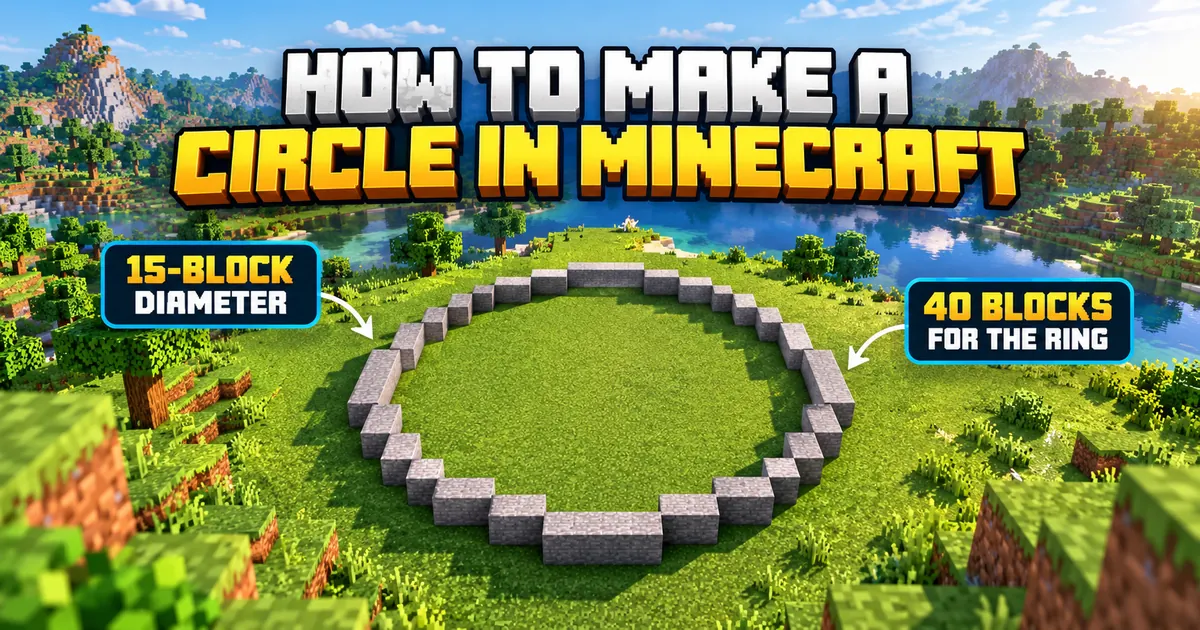
Here’s how to make a circle in Minecraft: pick an odd diameter like 15, mark the centre, build one quarter from the row chart below, then mirror it three times.
Minecraft is a block-building sandbox game from Mojang Studios, and it has no round blocks. Every circle is a stepped approximation, and anything under about 9 blocks wide ends up looking like an octagon.
This guide applies to Java Edition 26.3 (released 15 September 2026, per Mojang’s official release notes) and Bedrock Edition 26.50
Circles are plain block placement, so the patterns work on every platform. They’re calculated, not screenshotted from a build, so test your size in Creative first.
How to make a circle in Minecraft step by step
This is a hollow 15-block circle. It needs 40 blocks, which is less than one stack, and it works in Survival or Creative on any edition.
1. Find a flat area at least 17 by 17 blocks. An odd diameter like 15 gives you one centre block to mark.
2. Place a marker block in the middle, ideally a different colour. Turn on coordinates to keep your bearings (press F3 on Java, or switch on Show Coordinates in the world settings on Bedrock).
3. Count 7 blocks north, south, east and west from the marker and place a block at each tip. Those four blocks fix the width and height.
4. Build the top row: 5 blocks in a line, centred on the north tip.
5. Work down one row at a time using the table below. Count from the centre column each time, not from the last block you placed.
6. At the centre row you’ll reach the west and east tips. Keep going down, repeating the rows in reverse order (row 9 matches row 7, row 10 matches row 6, and so on).
7. Remove the marker. Leave the middle empty for a ring, or fill it in for a floor.
What does a 15-block Minecraft circle look like row by row?
Rows 1 and 15 are the flat top and bottom. Rows 6 to 10 are the straight sides. Distances below are measured left and right of the centre column.
|
Row (from top) |
Where the blocks go |
Blocks |
|
1 |
Centre column plus 2 on each side (one run of 5) |
5 |
|
2 |
3 and 4 blocks out, on both sides |
4 |
|
3 |
5 blocks out, both sides |
2 |
|
4 |
6 blocks out, both sides |
2 |
|
5 |
6 blocks out, both sides |
2 |
|
6 |
7 blocks out, both sides |
2 |
|
7 |
7 blocks out, both sides |
2 |
|
8 (centre row) |
7 blocks out, both sides |
2 |
|
9 to 15 |
Repeat rows 7 down to 1 |
19 |
|
Total |
40 |
How do you build a Minecraft circle in other sizes?
Use the half-width list for your diameter. Each number is how far the outer edge sits from the centre column, reading from the top row down to the centre row.
On each row, place blocks from one past the number above up to this row’s number, on both sides. If the number matches the row above, place just that one block. The top row is a full run, from minus its number to plus its number.
Take 15 (2, 4, 5, 6, 6, 7, 7, 7). Row 2 runs from 3 to 4 blocks out. Row 5 is a single block at 6, because 6 repeats.
|
Diameter |
Half-widths, top row to centre row |
|
9 |
2, 3, 4, 4, 4 |
|
11 |
2, 3, 4, 5, 5, 5 |
|
13 |
2, 4, 5, 5, 6, 6, 6 |
|
15 |
2, 4, 5, 6, 6, 7, 7, 7 |
|
17 |
2, 4, 6, 6, 7, 7, 8, 8, 8 |
|
21 |
3, 5, 6, 7, 8, 9, 9, 10, 10, 10, 10 |
|
25 |
3, 5, 7, 8, 9, 10, 10, 11, 11, 12, 12, 12, 12 |
|
31 |
3, 6, 8, 9, 10, 11, 12, 13, 13, 14, 14, 14, 15, 15, 15, 15 |
Want a filled circle instead? On every row, place all the blocks from the centre column out to that row’s number.
How many blocks does a Minecraft circle need?
A hollow 15-block circle takes 40 blocks, and a filled one takes 177. Stacks below are rounded up at 64 blocks per stack.
|
Diameter |
Hollow |
Filled |
Stacks (hollow / filled) |
Good for |
|
9 |
24 |
69 |
1 / 2 |
Fountain, small tower |
|
11 |
28 |
97 |
1 / 2 |
Watchtower base |
|
13 |
36 |
137 |
1 / 3 |
Round room |
|
15 |
40 |
177 |
1 / 3 |
Round house, well |
|
17 |
48 |
225 |
1 / 4 |
Tower |
|
21 |
56 |
349 |
1 / 6 |
Silo, arena floor |
|
25 |
68 |
489 |
2 / 8 |
Large tower |
|
31 |
84 |
749 |
2 / 12 |
Arena |
Circle tools don’t agree on these numbers. For a hollow 15-block circle, three tools ranking for this search list 40, 44 and 52 blocks. One of them gives two different totals for a 21-block circle on the same page.
The gap comes from how each tool defines the outline. The counts above include every block inside the circle that touches the outside along a face. Follow a tool with a different rule and you’ll get a different total.
Should you use an odd or even diameter?
Use an odd diameter. It gives you a single centre block, which makes the marker and the counting much easier.
Even diameters work, but the centre is a 2 by 2 patch and you count out from the line between two columns. A 16-block circle takes 44 blocks hollow and 208 filled.
How to make a circle in Minecraft with WorldEdit (Java Edition)
On Java Edition, stand where you want the centre and run //hcyl <block> <radius> 1 for a ring, or //cyl <block> <radius> 1 for a filled disc.
WorldEdit is a Java Edition mod and server plugin, so it isn’t an option on console or mobile Bedrock. Download the build that lists your game version. If none lists 26.3 yet, use the manual method.
1. Install WorldEdit for your mod loader or server software.
2. Stand on the block that will be the centre of the circle, on flat ground. WorldEdit’s generation commands work from the block you’re standing in.
3. Type //hcyl stone_bricks 7 1 for a hollow ring, or //cyl stone_bricks 7 1 for a filled disc. The last number is the height, so 1 keeps it one block tall.
4. If it lands in the wrong place, type //undo and try again from a different spot.
It takes a radius, not a diameter. The shape centres on your block, so radius 7 should give a 15-wide circle (7 blocks each side plus the centre). Check with a small radius in a test world first.
For ovals, give two radii. //hcyl stone_bricks 10,6 1 makes a hollow ellipse 10 blocks out east to west and 6 north to south. The syntax comes from the official WorldEdit documentation.
Start small. Beebom’s guide warns that very large shapes can crash the game.
How to make a circle in Minecraft on Bedrock Edition
On Bedrock, build the circle by hand with the row chart above, or use Minecraft Bedrock Editor if you’re on a Windows PC.
According to Microsoft’s Editor tutorial, Editor needs Windows 10 or later and isn’t available on mobile. It includes a cylinder brush, which the tutorial uses at a height of 12 to build a tower.
A height of 1 should give you a flat circle, but test it. Check the tutorial page for current requirements. On console and mobile we haven’t found an official circle tool, so build by hand.
Do command block circles work in Minecraft?
Command block methods can place circles that look smoother than any block build, but they’re decorative and the top guides haven’t confirmed them on 26.3.
Beebom’s method uses six command blocks to spawn invisible armor stands and gravity-free falling blocks. The result can’t be touched or built on.
Beebom says it tested that on Java 1.17.1, and CharlieINTEL’s version was last updated in February 2023. Treat both as unverified on 26.3 and try them in a throwaway world.
How do you stop a Minecraft circle looking lumpy?
• Mark north, south, east and west with temporary blocks before you start.
• Build one quarter, check it, then copy it to the other three.
• Build with a bright temporary block such as yellow concrete, fix any errors, then swap it for your real material.
• Round off big circles with stairs and slabs along the outside edge.
• A flat side usually means a miscount. Recount from the centre column.
Can you turn a Minecraft circle into a tower or dome?
A tower is the same ring repeated on every layer. A cone is a stack of shrinking rings, such as 21, 19, 17 and 15 wide. Domes and spheres need a different circle on every layer, so they’re a separate build.
Minecraft circle FAQ
What’s the easiest way to make a circle in Minecraft?
On Java Edition, install WorldEdit and run //hcyl <block> <radius> 1. On Bedrock or console, follow the 15-block row table above, which takes 40 blocks.
Can you make a perfect circle in Minecraft?
Not out of solid blocks. The grid forces steps. Command block tricks can look smooth, but according to Beebom the result can’t be touched or built on.
How many blocks do you need for a 15-block circle?
A hollow 15-block circle takes 40 blocks, which is under one stack. A filled one takes 177, or three stacks.
Why does my Minecraft circle look wrong?
The usual suspects are an even diameter, a circle under 9 blocks wide, or counting from the last block instead of the centre column. Rebuild one quarter and compare it with the row table.
Do these circle patterns work on Bedrock and console?
Yes. Block placement is the same on every edition. Only the shortcuts differ: WorldEdit is Java only, and Bedrock Editor needs a Windows PC.
Elena Brooks
Elena covers game history, cabinet restoration and preservation for Arcade Monthly.
Full biography and storiesMore from Arcade Monthly

Deadlock Tier List: Every Hero Ranked for the Mind the Birds! Patch (October 2026)
Deadlock tier list for the Mind the Birds! patch: all 40 heroes ranked S to D using win rates from three stat trackers. Updated October 9, 2026.

Brawl Stars Tier List: Every Brawler Ranked (October 2026)
Brawl Stars tier list for October 2026: all 107 Brawlers ranked S to F using live win rates and the September 16 patch. See who to pick now.

Overwatch Tier List (Season 5): Every Hero Ranked
Overwatch tier list for Season 5 (Oct 2026): all 54 heroes ranked by role using official Blizzard stats and live win rates.